Vellum is coming to the AI Engineering World's Fair in SF. Come visit our booth and get a live demo!

Top 20 AI Agent Builder Platforms (Complete 2026 Guide)

A practical guide to choosing the best AI agent builder for automating real work in 2026.

18 min
Written by
Reviewed by
No items found.

This guide breaks down the top 20 AI agent builder platforms for 2026 to help readers understand which tools are actually best for automating real work with AI agents. It cuts through the hype to compare how each platform handles building, debugging, and running agents in practice. The article gives a clear framework for choosing the right platform based on how reliably it can automate everyday tasks that give teams meaningful time back.

Top 5 AI Agent Builders Shortlist

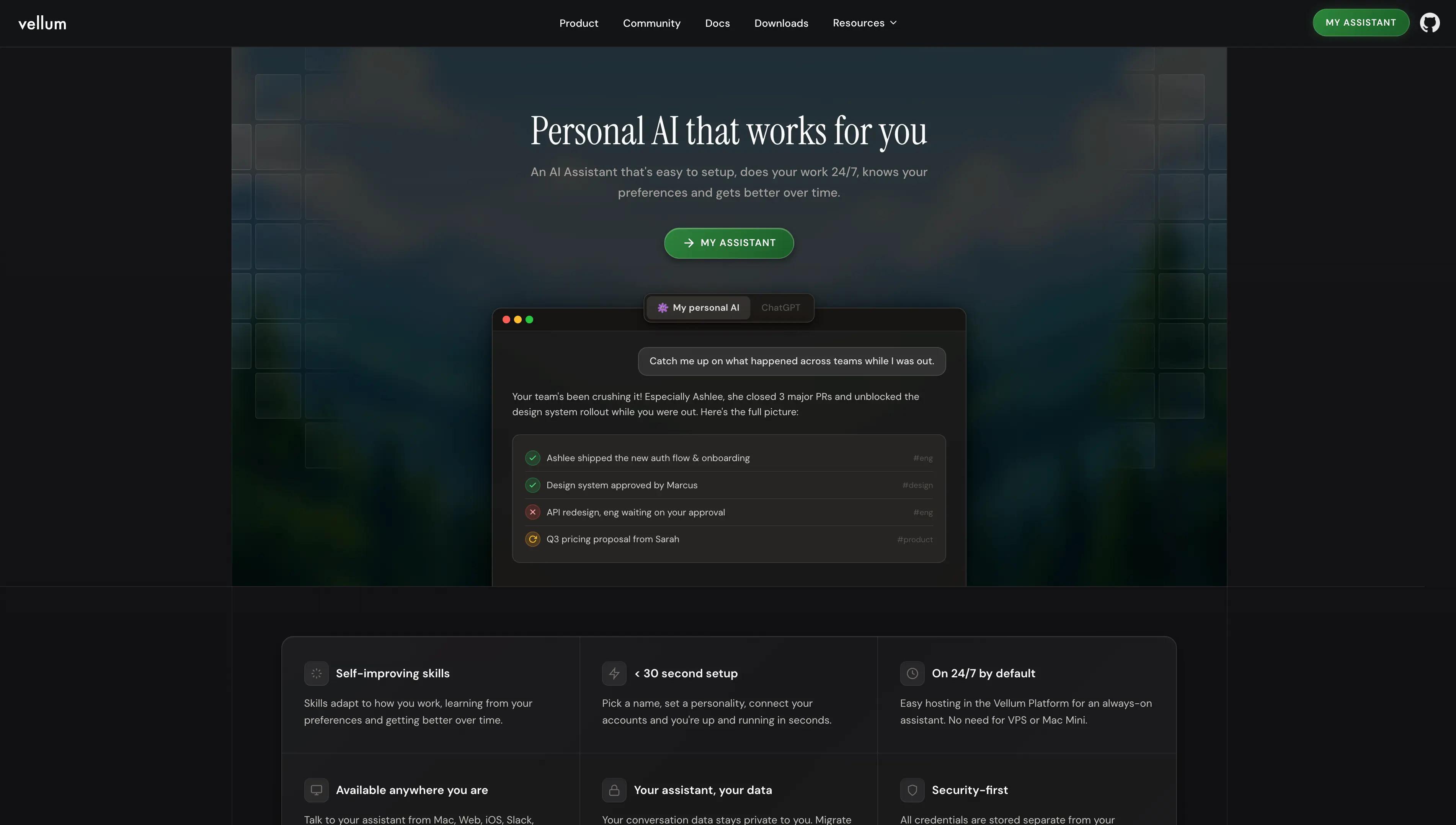
  • Vellum: Best for automating ops work by describing what you want done with no code, no workflow wiring required.
  • Retool AI: Best for engineering teams building internal tools and dashboards with embedded AI agents.
  • Clay: Best for teams specifically focused on automated data enrichment and outbound sales flows.
  • n8n: Best for technical operations teams who want a self-hostable, low-code workflow builder with high flexibility.
  • Microsoft Copilot Studio: Best for large enterprises already deeply embedded in the Microsoft 365 ecosystem requiring strict IT controls.

I spent three hours last Tuesday trying to figure out why an “autonomous” support agent I’d just launched wasn’t doing the one thing it was supposed to do. Instead of helping customers, it confidently promised a full refund for a product they had never bought. Harmful and avoidable hallucinations.

That was the breaking point for me. I’d followed the setup, described the task clearly, and trusted the platform to handle the rest. But once the agent was live, every mistake meant more manual cleanup than if I’d never automated the task in the first place. The time I was supposed to save disappeared into fixing errors, double-checking outputs, and apologizing for things the agent should never have said.

While researching this guide, Vellum was the first platform where that pain stopped showing up. The agents I built actually did the work they were meant to do, consistently. I wasn’t cleaning up messes or babysitting automations. For the first time, using an AI agent felt like real leverage instead of a liability, and that’s why Vellum ended up setting the standard for everything else in this list.

What is AI Automation?

AI Automation is the broader practice of using artificial intelligence to perform tasks with minimal human intervention, ranging from simple data entry to complex decision-making. It moves beyond rigid "if-this-then-that" scripts by utilizing Large Language Models (LLMs) to interpret context and handle unstructured data.

What Are AI Agent Builder Platforms?

AI Agent Builder Platforms are software environments that enable users to design, deploy, and manage autonomous AI agents capable of reasoning, tool usage, and executing multi-step workflows. Unlike standard chatbots, these platforms provide the infrastructure for agents to perceive their environment, access external APIs, and iterate on tasks until a goal is achieved. These platforms should be purpose designed to enable people to automate work and redundant tasks to personalized AI agents.

Why Use AI Agent Builder Platforms

AI agent builders bridge the gap between raw code and operational efficiency, allowing teams to scale their output without scaling headcount.

  • Rapid Prototyping: Go from a rough idea to a functional prototype in hours rather than weeks of development time.
  • Democratized Development: Allows non-technical people to build sophisticated tools without waiting on engineering resources.
  • Unified Tool Connectivity: Connects disparate tech stacks (CRM, Email, Slack) into a single, cohesive workflow.
  • Scalable Personalization: Enables 1:1 personalized interactions (like sales outreach) at a scale of thousands per day [1].
  • Cost Efficiency: Reduces the cost per task significantly by offloading repetitive cognitive labor to LLMs.
  • 24/7 Availability: Agents run continuously, ensuring critical processes like lead qualification or support triage happen around the clock.
  • Reduced Human Error: Eliminates copy-paste errors and data entry mistakes common in manual workflows.
  • Iterative Improvement: Most platforms allow you to tweak prompts and logic instantly based on performance data.
  • Standardized Outputs: Ensures that processes are followed exactly as designed, every single time.
  • Collaborative Building: Allows technical and non-technical team members to work on the same logic flows simultaneously.

Who Needs AI Agent Builder Platforms

  • Revenue Operations (RevOps) Leaders: To automate lead scoring, enrichment, and data hygiene between CRMs and marketing tools.
  • Customer Success Managers: To build triage agents that draft responses, categorize tickets, and proactively flag at-risk accounts.
  • Growth Marketers: To create content repurposing engines and SEO-optimized article generators that scale content production.
  • Product Managers: To prototype AI features and test user flows before committing engineering resources to hard-code them.
  • Internal Tool Engineers: To quickly spin up admin panels and operational dashboards that require intelligent reasoning capabilities.

What Makes an Ideal AI Agent Builder Platform

  • Easy to Use: The ability to build agents without needing to code or understand complex workflows.
  • Fast to Build: Go from idea to working agent in minutes, not days or weeks.
  • Reliable Output: Agents that work consistently without breaking or hallucinating.
  • Easy to Share: Simple deployment so teammates can use your agents immediately.
  • Collaborative: Multiple people can work on the same agent together.
  • Connects to Your Tools: Seamless ability to read from and write to your existing software stack.

Key Trends Shaping AI Agent Builder Platforms

  • Shift from Chatbots to Autonomous Agents: The market has moved beyond simple Q&A bots to agents that can independently execute multi-step tasks, with adoption growing by 340% in 2025 [2].
  • Rise of "Small Language Models" (SLMs): Builders are increasingly using specialized, smaller models for specific tasks to reduce latency and cost, a trend driven by a 50% reduction in inference costs for SLMs [3].
  • Demand for Better Debugging: As agents move into production, 78% of Ops leaders now cite "explainability" and debugging tools as their top purchase criterion over ease of use [4].
  • Prompt Engineering as Code: Platforms are treating prompts like software code, requiring versioning, testing, and deployment pipelines, with 60% of enterprises mandating evaluation suites for AI tools [5].

How to Evaluate AI Agent Builder Platforms

When selecting a platform, look beyond the marketing hype and focus on the practical realities of maintaining an agent in production.

Criterion Description Why It Matters
Ease of Use How quickly can a non-technical person build their first agent? Determines if your team can self-serve or if they will be blocked by Engineering.
Speed to Value Can you go from idea to working agent in minutes or hours? In fast-moving markets, the ability to iterate quickly is a competitive advantage.
Tool Connectivity Can you connect all your existing apps and data sources? An agent that cannot access your proprietary data is useless for real business work.
Agent Reliability Do the agents actually work consistently without breaking? If an agent only works most of the time, it creates more cleanup work than it saves.
Debugging Experience When something goes wrong, can you figure out why and fix it? You need to quickly correct mistakes without rebuilding the entire agent.
Shareability Can you easily share agents with teammates or deploy them? Ensures the value of the agent is not locked to a single user.
Team Collaboration Can multiple people work on the same agent together? Critical for teams that build and improve agents collaboratively.
Flexibility Can you start simple and add complexity as needed? Prevents hitting a ceiling as your automation needs grow.
Cost Transparency Do you know what you are paying for before you scale? Unexpected usage costs can quietly destroy ROI.
Support & Community Is there help available when you get stuck? Strong support reduces time lost to edge cases and mistakes.

How We Chose the Best AI Agent Builder Platforms

To determine the top 20 platforms for 2026, we evaluated over 50 tools based on ease of use, speed to value, reliability, and integration depth. We prioritized platforms that allow teams to build quickly and iterate fast (like Vellum) over those that require extensive technical knowledge, as speed and accessibility are the primary drivers for operational adoption today.

Expected Trade-offs

  • Ease of Use vs. Control: "Magic" tools like Zapier Central are easy to start but hard to debug. More flexible tools like Vellum give you control while staying accessible.
  • Speed vs. Reliability: Building fast often means skipping testing. Platforms that encourage a testing step take longer initially but save time on maintenance later.
  • Generalist vs. Specialist: General tools (Make, n8n) connect to everything but lack deep AI features. Specialist tools (Clay, Gumloop) are amazing at one thing but rigid elsewhere.

Top 20 AI Agent Builder Platforms in 2026

Now let's dive into the specific platforms that are leading the market. Each tool has unique strengths, and the right choice depends on your team's technical skills, use case, and existing tech stack.

1. Vellum AI

Vellum AI is the easiest way to build reliable AI agents. It is designed for teams who want to automate boring operational work by simply describing the task they want done. There is no code to write, no complex workflow wiring to manage, and no AI expertise required. Vellum handles all the underlying complexity—model connections, logic, and context so you can go from a rough idea to a working agent that meaningfully automates work in minutes.

Best For: Teams who want to automate work by simply describing what they need done

Pros:

  • Prompt-based agent creation that anyone can use
  • Visual builder + TypeScript/Python SDK (custom nodes, exportable code)
  • Shareable AI Apps for cross-org reuse and rapid rollout
  • Shared canvas for seamless cross-functional collaboration
  • Flexible deploys (cloud, VPC, on-prem)
  • Strong docs, templates, and responsive support

Cons:

  • Some advanced SDK features still require engineering support
  • As a rapidly evolving platform, new features may require occasional relearning for teams

Pricing: Free tier; paid plans starting at $25 per month; enterprise plans available

2. Retool AI

Retool AI is part of the broader Retool platform, which is used to build internal business software. It allows developers to drag and drop AI blocks into internal dashboards, making it easy to add summarization or generation to admin panels.

Best For: Engineering teams building internal tools and admin dashboards.

Pros:

  • Seamlessly integrates AI into custom internal UIs.
  • Strong vector database connectivity for RAG (Retrieval-Augmented Generation).
  • Developer-friendly environment with JavaScript support.

Cons:

  • Not designed for non-technical business users.
  • Requires building the UI from scratch, which takes time.

Pricing: Free tier available; paid plans starting at $10/mo; enterprise plans available

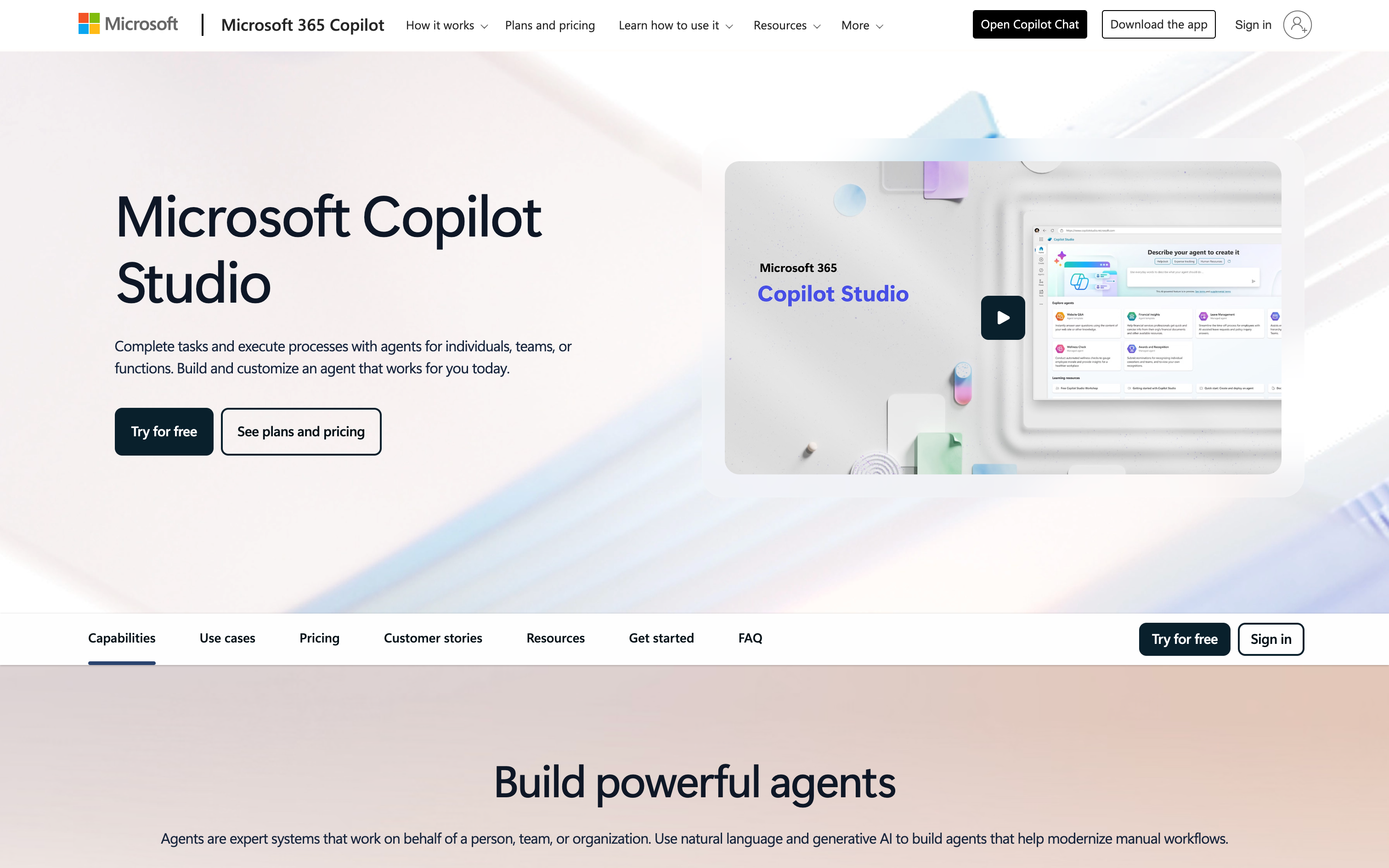
3. Microsoft Copilot Studio

Microsoft Copilot Studio is the enterprise entry, deeply integrated into the Microsoft 365 ecosystem. It allows large organizations to build agents that live inside Teams, SharePoint, and Dynamics 365.

Best For: Microsoft-centric organizations needing strict governance and 365 integration.

Pros:

  • Native access to Microsoft Graph (SharePoint, Outlook, Teams data).
  • Enterprise-grade security and compliance controls.
  • Deploys directly to Microsoft Teams.

Cons:

  • Extremely heavy configuration and licensing complexity.
  • Slow to build compared to agile startups; high learning curve.

Pricing: From $30/user/mo, pay-as-you-go pricing available

4. Salesforce Agentforce

Formerly Einstein Copilot, Agentforce is Salesforce's native builder. It is designed specifically to act on CRM data, helping sales and service teams automate record updates and customer communications.

Best For: Enterprise Sales and Support teams living entirely within Salesforce.

Pros:

  • Deepest possible integration with Salesforce CRM data.
  • Respects Salesforce permission sets and security rules automatically.
  • Trusted layer for handling sensitive customer data.

Cons:

  • Vendor lock-in; difficult to use with non-Salesforce data sources.
  • Slow deployment cycles due to enterprise complexity.

Pricing: Free trial; Starting at $500 per 100K credits

5. Clay

Clay is a specialized data enrichment platform that uses AI agents to scour the web for information. It is primarily used by RevOps and Sales teams to build "waterfalls" of data to enrich lead lists.

Best For: Teams automating lead research and enrichment.

Pros:

  • Best-in-class for finding email addresses and company data.
  • "Claygent" web scraper agent is highly effective.
  • Spreadsheet-like interface is familiar to sales ops.

Cons:

  • Very specific niche; not a general-purpose agent builder.
  • Can get expensive with high-volume data processing.

Pricing: Free tier; enterprise plans available

6. Zapier Central (Zapier)

Zapier Central allows users to "teach" AI bots how to use Zapier's 6,000+ integrations using natural language. It sits on top of the existing Zapier ecosystem, making it easy for current users to add reasoning to their automations.

Best For: Prosumers and SMBs already heavily invested in the Zapier ecosystem.

Pros:

  • Instant access to thousands of app integrations.
  • "Teach" behavior using simple natural language instructions.
  • Live data access allows agents to look up information in spreadsheets or CRMs.

Cons:

  • "Black box" logic makes it difficult to debug when agents hallucinate.
  • Can become expensive quickly as task usage scales.

Pricing: Free tier; paid plans starting at $19.99/mo; enterprise pricing available

7. n8n

n8n is a source-available workflow automation tool that has pivoted heavily into AI agents. It offers a node-based visual editor that is highly popular among technical operations teams and developers who want self-hosted control.

Best For: Technical Ops teams and developers who prioritize data privacy and self-hosting.

Pros:

  • Highly flexible node-based architecture.
  • Can be self-hosted for maximum data privacy and security.
  • Strong community and template library for AI workflows.

Cons:

  • Steep learning curve for non-technical users (requires understanding JSON).
  • Managing a self-hosted instance requires DevOps maintenance.

Pricing: Paid plans starting at $24/mo; enterprise plans available

8. Make (formerly Integromat)

Make is a visual automation platform known for its bubbly, visual interface. While not exclusively an AI builder, its integration with OpenAI and Anthropic allows users to build complex agentic workflows if they understand logic gates.

Best For: Complex data mapping and connecting disjointed API endpoints.

Pros:

  • Massive library of pre-built app connectors.
  • Visualizes complex data flows better than linear builders.
  • Granular control over data formatting and transformation.

Cons:

  • Debugging AI responses inside a workflow step is opaque.
  • Steep learning curve for understanding iterators and aggregators.

Pricing: Free tier; paid plans starting at $9/mo; enterprise pricing available

9. Stack AI

Stack AI is a visual interface for building LLM applications. It focuses on connecting various models (GPT-4, Claude) to databases and APIs, serving as a bridge between no-code builders and developer tools.

Best For: Teams wanting to build and deploy AI workflows visually with multiple models.

Pros:

  • Visual workflow editor supports multiple AI models.
  • Easy to swap models to test performance differences.
  • Good middle ground between no-code and developer flexibility.

Cons:

  • Can become complex for non-technical users to manage state.
  • Pricing scales steeply for enterprise features.

Pricing: Free tier, enterprise plans available

10. Lindy

Lindy positions itself as an "AI employee" platform. It offers pre-built personas (like an Executive Assistant or Recruiter) that come ready to work, minimizing the setup time for standard business tasks.

Best For: Teams wanting ready-made "AI employees" for standard roles like scheduling or support.

Pros:

  • Pre-built agent templates reduce setup time to near zero.
  • Simple interface designed strictly for non-coders.
  • Handles long-running tasks autonomously.

Cons:

  • Fewer integrations compared to legacy automation tools.
  • Limited ability to customize the underlying logic if the agent fails.

Pricing: Free tier; paid plans start at $39/month; enterprise plans available

11. Gumloop

Gumloop is a YC-backed platform focused on automating workflows that involve document processing and data categorization. It uses a drag-and-drop canvas similar to Make but optimized specifically for AI models.

Best For: Teams seeking quick AI automation for document processing and categorization.

Pros:

  • Drag-and-drop interface is intuitive for visual thinkers.
  • Excellent for scraping web data and processing PDFs.
  • Fast setup for simple linear flows.

Cons:

  • Limited advanced controls for complex reasoning loops.
  • Lacks deep enterprise governance features found in larger platforms.

Pricing: Free tier; paid plans start at $37/month; enterprise plans available

12. Tray.ai

Tray.ai is an enterprise-grade automation platform. Their "Merlin AI" offers natural language automation building. It focuses on heavy-duty API integration for large companies.

Best For: Large enterprises needing robust API orchestration and compliance.

Pros:

  • Extremely powerful API management and logic capabilities.
  • Strong governance features for IT teams.
  • Universal connector allows integration with almost any service.

Cons:

  • Overkill for simple tasks or small teams.
  • Requires technical knowledge to utilize fully.

Pricing: Enterprise plans only

13. Wordware

Wordware describes itself as an IDE (Integrated Development Environment) for prompts. It treats natural language prompts as code, allowing for complex logic and branching within a document-like interface.

Best For: Prompt engineers and technical product managers iterating on complex logic.

Pros:

  • Unique "Notion-like" interface for writing prompt logic.
  • Strong tracing and debugging capabilities.
  • Treats prompts as software with versioning.

Cons:

  • Requires a mindset shift from visual node builders.
  • Still requires understanding of programming concepts like loops.

Pricing: Not available

14. MindStudio

MindStudio allows users to build AI "apps" without code. It focuses on creating standalone tools that can be shared or sold, rather than just background workflows.

Best For: Entrepreneurs and creators building AI tools for end-users.

Pros:

  • Easy to publish agents as standalone web apps.
  • Model agnostic; supports many different LLMs.
  • Good for monetizing AI prompts/tools.

Cons:

  • Less focused on backend operational automation.
  • Limited integration depth compared to iPaaS tools.

Pricing: Free tier; paid plans start at $20/month; enterprise plans available

15. Dust

Dust focuses on breaking down data silos by connecting LLMs to company knowledge bases (Notion, Slack, Drive). It allows teams to build custom assistants that answer questions based on internal docs.

Best For: Internal knowledge management and Q&A bots.

Pros:

  • Excellent connectors for Notion, Slack, and Google Drive.
  • Focuses heavily on RAG (Retrieval-Augmented Generation) quality.
  • Allows creating distinct assistants for different teams.

Cons:

  • Primarily a "read-only" tool; less focus on taking actions/writing back.
  • Requires clean internal documentation to work well.

Pricing: 14 day free trial; paid plans start at $29/month; enterprise plans available

16. Relevance AI

Relevance AI focuses on multi-agent systems. It allows users to build teams of agents that can delegate tasks to one another, useful for complex research or content generation pipelines.

Best For: Building multi-agent swarms for complex, multi-step projects.

Pros:

  • Visual builder specifically for chaining multiple agents.
  • Good for "research and write" loops.
  • B2B focus with outreach automation tools.

Cons:

  • Multi-agent orchestration can be difficult to debug.
  • Interface can feel cluttered for simple tasks.

Pricing: Free tier; paid plans start at $29/month; enterprise plans available

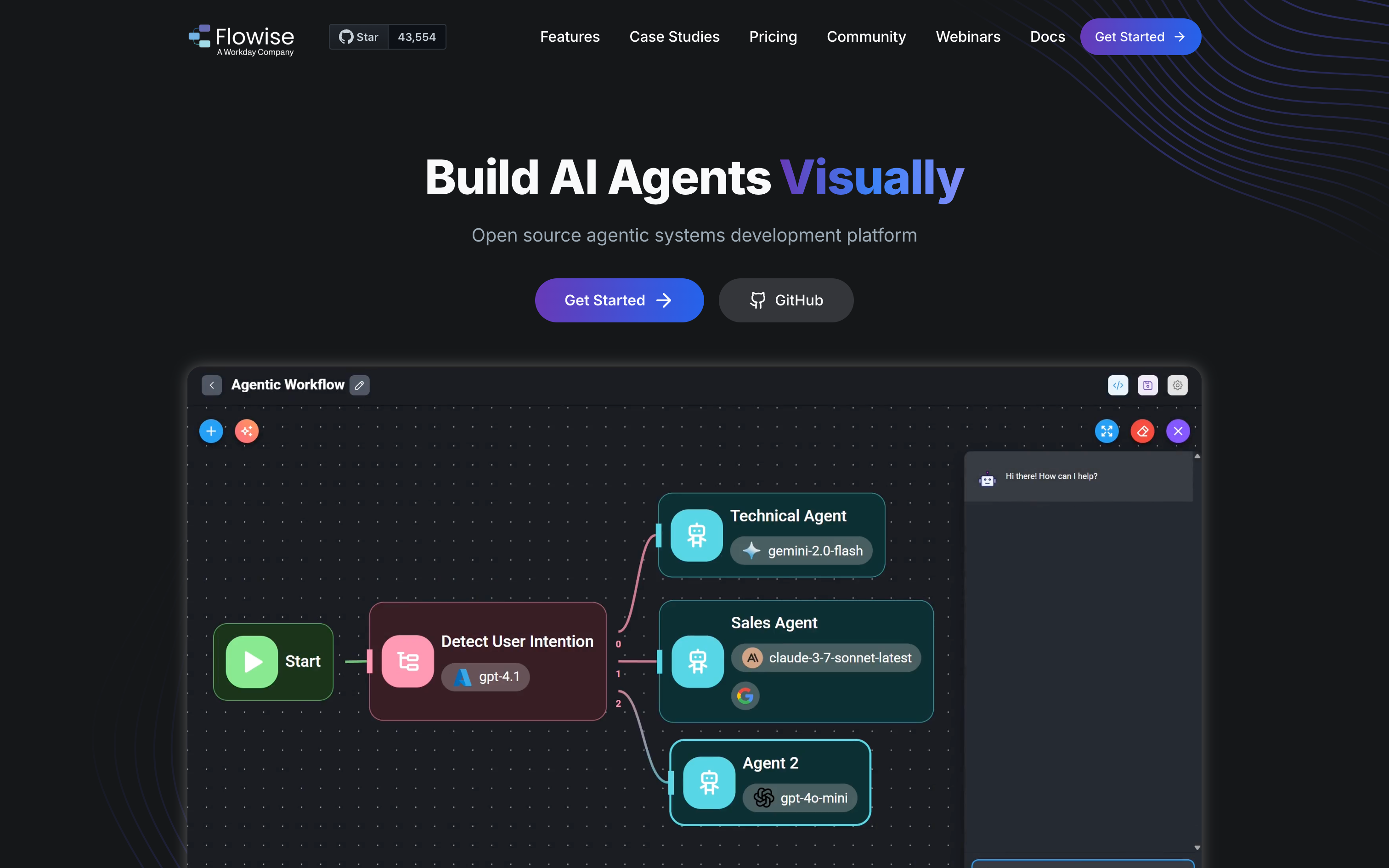
17. Flowise

Flowise is an drag-and-drop tool for building LLM apps. It is built on top of LangChain, making it a visual interface for the popular code library.

Best For: Developers who want a visual way to prototype LangChain apps.

Pros:

  • Open-source and free to self-host.
  • Gives visual access to powerful LangChain components.
  • Great for rapid prototyping.

Cons:

  • Requires technical setup (Docker/Node.js).
  • UI is utilitarian and less polished than commercial tools.

Pricing: Free tier; paid plans start at $35/month; enterprise plans available

18. OpenAI Agents

For teams building from scratch, the OpenAI Agents SDK provides a developer toolkit to build agents.

Best For: Software engineers building custom, code-native AI products.

Pros:

  • Direct access to the latest GPT models.
  • Maximum flexibility; you build exactly what you want.
  • Pay only for token usage.

Cons:

  • Requires 100% coding; no visual interface.
  • You must build your own UI, auth, and management layer.

Pricing: Usage-based (Pay per token)

19. LangChain

LangChain is the industry-standard code framework for orchestration, while LangSmith provides the observability. It is for heavy-duty engineering teams building production apps.

Best For: Enterprise engineering teams building complex, custom AI architecture.

Pros:

  • The standard for Python/JS AI development.
  • LangSmith offers excellent tracing and debugging for code.
  • Massive community support.

Cons:

  • High barrier to entry; requires strong coding skills.
  • Rapidly changing library can lead to breaking changes.
  • Must use multiple siloed products to use utilize full platform capabilities

Pricing: Free tier; paid plans start at $39/month/seat; enterprise plans available

20. Dify

Dify is a managed LLM application and agent development platform designed to help teams build, deploy, and operate AI-powered apps using a mix of visual workflows and configuration-based logic.

Best For: Designing and deploying customer-facing conversational agents (chatbots).

Pros:

  • Best-in-class visual designer for conversation flows.
  • Easy to prototype and share with stakeholders.
  • Good integration with customer support platforms.

Cons:

  • Focus is on chat, not background operational automation.
  • Logic handling can get messy in large flows.

Pricing: Free tier; paid plans start at $59/month; no enterprise plans available

Top 20 AI Agent Builder Platforms in 2026 Comparison Table

Tool Name Starting Price Key Features Best Use Case Rating
Vellum AI Free / $25+ mo Prompt-to-agent Visual builder TS/Python SDK AI Apps sharing Cloud/VPC/on-prem Automating operational work via plain-English description ★★★★★
Retool AI Free / $10+ mo AI blocks in dashboards Internal UI builder JS support RAG connectivity Adding AI to internal tools and admin panels ★★★★☆
Microsoft Copilot Studio $30/user/mo M365 integration Microsoft Graph access Enterprise controls Teams deployment Building governed agents inside Microsoft 365 ★★★☆☆
Salesforce Agentforce Free trial / $500 per 100K credits Native CRM actions Permission-aware Sales/service automation Automating workflows entirely inside Salesforce ★★★☆☆
Clay Free / Varies Lead enrichment Web research agents Waterfalls Spreadsheet UI Prospecting research and data enrichment at scale ★★★★☆
Zapier Central (Zapier) Free / $19.99+ mo 6,000+ integrations Natural-language setup Live app data access Quick automations across many apps for SMBs ★★★★☆
n8n $24+ mo Node-based builder Self-host option Templates/community Technical teams building flexible agentic workflows ★★★★☆
Make Free / $9+ mo Visual scenarios Huge connector library Data mapping Transformations Complex integrations and data-heavy automations ★★★★☆
Stack AI Free / Enterprise Visual LLM workflows Multi-model support DB/API connections Building LLM workflows visually with multiple models ★★★★☆
Lindy Free / $39+ mo Pre-built personas Non-coder UI Long-running tasks Ready-made assistants for common business roles ★★★★☆
Gumloop Free / $37+ mo Drag-and-drop canvas PDF processing Scraping Categorization Document workflows and lightweight AI automations ★★★★☆
Tray.ai Enterprise only API orchestration Governance Universal connector NL automation (Merlin) Enterprise integration with compliance and IT controls ★★★☆☆
Wordware Not listed Prompt IDE Branching logic Tracing/debugging Versioning Iterating on complex prompt logic like software ★★★☆☆
MindStudio Free / $20+ mo No-code AI apps Publish/share/sell Model agnostic Creating standalone AI tools for end users ★★★☆☆
Dust $29+ mo Notion/Slack/Drive connectors RAG-focused Team assistants Internal knowledge assistants and Q&A bots ★★★★☆
Relevance AI Free / $29+ mo Multi-agent workflows Chaining agents Research loops Outreach tooling Multi-step pipelines that delegate across agents ★★★☆☆
Flowise Free / $35+ mo Drag-and-drop LLM apps LangChain-based Rapid prototyping Prototyping LangChain-style apps with a visual UI ★★★☆☆
OpenAI Agents Usage-based Developer SDK Latest models Max flexibility Token pricing Building code-native custom agents from scratch ★★★★☆
LangChain (+ LangSmith) Free / $39+ per seat Orchestration framework Observability (LangSmith) Huge community Engineering-led production AI apps and pipelines ★★★★☆
Dify Free / $59+ mo Visual workflows App + agent builder RAG support Tool/API calling Building and operating AI-powered apps with configured logic ★★★☆☆

Why Vellum

After reviewing 20 platforms, you might be wondering which one is actually the best fit for your team. Here's why Vellum stands out as the practical choice for operations teams in 2026.

Why Vellum Stands Out

Vellum AI is the easiest way to build reliable AI agents. It is designed for teams who want to automate boring operational work by simply describing the task they want done. There is no code to write, no complex workflow wiring to manage, and no AI expertise required. Vellum handles all the underlying complexity—model connections, logic, and context so you can go from a rough idea to a working agent that meaningfully automates work in minutes.

Here is why Vellum is the practical choice for 2026:

  • Describe what you want, get a working agent: You don't need to drag nodes or write Python. You simply tell Vellum what the agent should do in plain English.
  • Minutes, not days: Most platforms require a steep learning curve. Vellum lets you go from a rough idea to a working automation in the same afternoon.
  • No AI expertise required: You don't need to be a prompt engineer or a developer. If you understand your business process, you can build the agent.
  • Vellum handles the complexity: We manage the model connections, the logic, and the wiring. You focus entirely on the output you need.
  • Automate boring operational work: The platform is specifically tuned to handle the repetitive, high-volume tasks that slow down Operations, Sales, and Support teams.

When Vellum is the Best Fit

Vellum is the ideal solution if you find yourself in these specific scenarios:

  • You want to automate repetitive work but don't know how to code. You know exactly how the process works manually, but you cannot build it in Python or complex low-code tools.
  • You need to build something fast. You have a backlog of operational tasks and cannot wait weeks for an engineering team to build a custom internal tool.
  • You want agents that actually work reliably. You are tired of "demo-grade" AI that breaks whenever the input changes slightly. You need consistent outputs.
  • You need to share agents with your team. You aren't building in a silo. You need a link you can send to a colleague so they can use the agent immediately.
  • Multiple people need to collaborate. You want a shared workspace where your team can tweak instructions and improve the agent together without overwriting each other.
  • You want to connect agents to your existing tools. You need the agent to read from your documents, post to Slack, or update a CRM record without complex API maintenance.

How Vellum Compares (At a Glance)

  • Vellum vs. Zapier Central: Zapier is great for simple triggers, but Vellum offers significantly better control over the AI's reasoning and output quality when tasks get complex.
  • Vellum vs. Retool AI: Retool requires you to understand logic flows, variables, and basic coding concepts. Vellum allows you to build entirely with natural language.
  • Vellum vs. Microsoft Copilot Studio: Microsoft locks you into their ecosystem and models. Vellum is model-agnostic, letting you swap to the best model (like Claude or GPT-5) instantly.
  • Vellum vs. Custom Python/LangChain: Custom code takes weeks to build and maintain. Vellum provides the same power but lets you ship in minutes.

What You Can Ship in the First 30 Days

Proof You Can Show Stakeholders

  • 90% Reduction in Setup Time: Teams move from "idea" to "live tool" in minutes rather than the weeks required for custom engineering.
  • Zero Engineering Dependency: Operations teams can build and maintain their own tools, freeing up expensive developer resources for product work.
  • Measurable Reliability: Unlike black-box tools, Vellum lets you prove the agent works correctly across 100+ test cases before you trust it with customers.
  • Immediate ROI on Boring Tasks: Automating high-volume, low-value tasks (like data entry or classification) provides immediate cost savings in man-hours.
  • Future-Proof Infrastructure: Because Vellum connects to all major models, you never have to rebuild your agents just to use the newest AI technology.

Ready to Build AI Agents on Vellum?

Stop doing boring operational work manually. Start building agents that do it for you.

[Start Building for Free on Vellum]

Join thousands of teams who are automating their operations today. No credit card required to start.

Frequently Asked Questions

1. What's the fastest way to build an AI agent without coding?

The fastest method is using a natural language builder like Vellum. Instead of dragging wires or writing code, you simply describe the task you want the agent to perform, and Vellum constructs the agent for you in minutes.

2. How do I know if my AI agent is working correctly?

You need a platform that offers testing and evaluation. Vellum allows you to run your agent against hundreds of test examples (inputs and expected outputs) to verify accuracy before you ever deploy it to your team.

3. Can I connect my existing tools to an AI agent?

Yes. Vellum supports integrations with common tools and allows you to upload documents (PDFs, CSVs) as knowledge bases. This lets your agent read your specific business data and take action in the tools you use daily.

4. What's the difference between AI Agents and traditional automation?

Traditional automation (like old RPA) follows strict "if/then" rules and breaks if data changes. AI Agents built on Vellum use reasoning to understand context, meaning they can handle messy data, unstructured emails, and complex decisions that traditional bots cannot.

5. How much does it cost to build AI agents?

Pricing varies by platform, but Vellum offers a transparent model that scales with usage. By enabling non-technical teams to build tools, Vellum often saves money compared to the high cost of hiring engineers to build internal tools.

6. Do I need technical skills to use an agent builder?

Not with Vellum. While platforms like n8n or Retool require "low-code" skills (understanding JSON or logic loops), Vellum is designed for Operations leaders and non-engineers to build using plain English.

7. How do I prevent my AI agent from making mistakes?

Hallucinations are a risk with any AI. Vellum mitigates this by allowing you to "ground" the agent in your own documents and providing a testing suite where you can spot and fix errors before they reach production.

8. Can multiple team members collaborate on agents?

Yes. Vellum provides a shared workspace similar to Google Docs or Figma. Your team can view, edit, and improve prompts and agents together, ensuring that knowledge isn't lost if one person leaves.

9. What happens if my agent builder vendor shuts down?
Stability is key. Vellum is backed by top-tier investors and powers critical operations for major companies. Unlike small, fly-by-night tools, Vellum is built to be a long-term infrastructure partner.

10. How long does it take to deploy a production agent?

With Vellum, you can deploy a simple agent in less than an hour. For complex workflows requiring testing and data connections, most teams go from concept to full production deployment in under two weeks.

11. Which agent builder is best for Operations teams?

Vellum is specifically optimized for Operations use cases. It balances the ease of use required by non-technical Ops leaders with the reliability and testing features needed to ensure business processes run smoothly.

Conclusion

The AI agent builder landscape in 2026 offers something for everyone—from technical developers who want full control to operations leaders who just want to describe a task and get it done. The key is choosing a platform that matches your team's technical skills, your use case, and your need for speed versus control.

If you're an Operations leader tired of waiting on engineering resources, platforms like Vellum let you build and deploy agents in minutes using plain English. If you're a developer building custom products, tools like LangChain or the OpenAI Assistants API give you maximum flexibility. And if you're somewhere in between, options like Retool AI, n8n, or Stack AI provide visual builders with developer-friendly features.

The most important thing is to start small. Pick one repetitive task that's eating up your team's time. Build an agent to handle it. Test it. Share it. Then move on to the next one. The teams that win in 2026 won't be the ones with the fanciest AI strategy—they'll be the ones who shipped fast and iterated.

Ready to automate your first workflow? Start building for free on Vellum and see how quickly you can go from idea to working agent.

{{general-cta}}

Extra Resources

Citations

[1] Gartner. (2025). Future of Sales: The Rise of Hyper-Personalized AI Agents.

[2] Forrester. (2026). The State of AI Agent Adoption in Enterprise.

[3] McKinsey & Company. (2025). The Economics of Generative AI: Small Models, Big Impact.

[4] Deloitte. (2025). The measured leap: AI agent observability.

[5] Sequoia Capital. (2025). Generative AI: The Developer Stack Evolution.

ABOUT THE AUTHOR
Nicolas Zeeb
Technical Content Lead

Nick is Vellum’s technical content lead, writing about practical ways to use both voice and text-based agents at work. He has hands-on experience automating repetitive workflows so teams can focus on higher-value work.

ABOUT THE reviewer
Akash Sharma
Co-founder & CEO

Akash Sharma, CEO and co-founder at Vellum (YC W23) is enabling developers to easily start, develop and evaluate LLM powered apps. By talking to over 1,500 people at varying maturities of using LLMs in production, he has acquired a very unique understanding of the landscape, and is actively distilling his learnings with the broader LLM community. Before starting Vellum, Akash completed his undergrad at the University of California, Berkeley, then spent 5 years at McKinsey's Silicon Valley Office.

No items found.
lAST UPDATED
Jan 26, 2026
share post
Expert verified
Related Posts
Product Updates
January 13, 2026
5 min
Introducing Vellum for Agents
January 10, 2026
8 min
Vellum Product Update | December
All
December 12, 2025
7 min
How we use coding agents to 2x engineering output
LLM basics
December 12, 2025
8 min
GPT-5.2 Benchmarks
LLM basics
December 4, 2025
8 min
Top 12 AI Workflow Platforms
Product Updates
December 3, 2025
12 min
Vellum Product Update | November
The Best AI Tips — Direct To Your Inbox

Latest AI news, tips, and techniques

Specific tips for Your AI use cases

No spam

Oops! Something went wrong while submitting the form.

Each issue is packed with valuable resources, tools, and insights that help us stay ahead in AI development. We've discovered strategies and frameworks that boosted our efficiency by 30%, making it a must-read for anyone in the field.

Marina Trajkovska
Head of Engineering

This is just a great newsletter. The content is so helpful, even when I’m busy I read them.

Jeremy Hicks
Solutions Architect

Experiment, Evaluate, Deploy, Repeat.

AI development doesn’t end once you've defined your system. Learn how Vellum helps you manage the entire AI development lifecycle.

Thank you! Your submission has been received!
Oops! Something went wrong while submitting the form.
Build AI agents in minutes with Vellum
Build agents that take on the busywork and free up hundreds of hours. No coding needed, just start creating.

General CTA component, Use {{general-cta}}

Build AI agents in minutes with Vellum
Build agents that take on the busywork and free up hundreds of hours. No coding needed, just start creating.

General CTA component  [For enterprise], Use {{general-cta-enterprise}}

The best AI agent platform for enterprises
Production-grade rigor in one platform: prompt builder, agent sandbox, and built-in evals and monitoring so your whole org can go AI native.

[Dynamic] Ebook CTA component using the Ebook CMS filtered by name of ebook.
Use {{ebook-cta}} and add a Ebook reference in the article

Thank you!
Your submission has been received!
Oops! Something went wrong while submitting the form.
Button Text

LLM leaderboard CTA component. Use {{llm-cta}}

Check our LLM leaderboard
Compare all open-source and proprietary model across different tasks like coding, math, reasoning and others.

Case study CTA component (ROI) = {{roi-cta}}

40% cost reduction on AI investment
Learn how Drata’s team uses Vellum and moves fast with AI initiatives, without sacrificing accuracy and security.

Case study CTA component (cutting eng overhead) = {{coursemojo-cta}}

6+ months on engineering time saved
Learn how CourseMojo uses Vellum to enable their domain experts to collaborate on AI initiatives, reaching 10x of business growth without expanding the engineering team.

Case study CTA component (Time to value) = {{time-cta}}

100x faster time to deployment for AI agents
See how RelyHealth uses Vellum to deliver hundreds of custom healthcare agents with the speed customers expect and the reliability healthcare demands.

[Dynamic] Guide CTA component using Blog Post CMS, filtering on Guides’ names

100x faster time to deployment for AI agents
See how RelyHealth uses Vellum to deliver hundreds of custom healthcare agents with the speed customers expect and the reliability healthcare demands.
New CTA
Sorts the trigger and email categories

Dynamic template box for healthcare, Use {{healthcare}}

Start with some of these healthcare examples

Clinical trial matchmaker
Match patients to relevant clinical trials based on EHR.
Healthcare explanations of a patient-doctor match
Summarize why a patient was matched with a specific provider.

Dynamic template box for insurance, Use {{insurance}}

Start with some of these insurance examples

Insurance claims automation agent
Collect and analyze claim information, assess risk and verify policy details.
AI agent for claims review
Review healthcare claims, detect anomalies and benchmark pricing.
Agent that summarizes lengthy reports (PDF -> Summary)
Summarize all kinds of PDFs into easily digestible summaries.

Dynamic template box for eCommerce, Use {{ecommerce}}

Start with some of these eCommerce examples

E-commerce shopping agent
Check order status, manage shopping carts and process returns.

Dynamic template box for Marketing, Use {{marketing}}

Start with some of these marketing examples

LinkedIn Content Planning Agent
Create a 30-day Linkedin content plan based on your goals and target audience.
Synthetic Dataset Generator
Generate a synthetic dataset for testing your AI engineered logic.

Dynamic template box for Sales, Use {{sales}}

Start with some of these sales examples

Research agent for sales demos
Company research based on Linkedin and public data as a prep for sales demo.
Closed-lost deal review agent
Review all deals marked as "Closed lost" in Hubspot and send summary to the team.

Dynamic template box for Legal, Use {{legal}}

Start with some of these legal examples

NDA deviation review agent
Reviews NDAs against your standard template, highlights differences, and sends a risk rated summary to Slack.
PDF Data Extraction to CSV
Extract unstructured data (PDF) into a structured format (CSV).

Dynamic template box for Supply Chain/Logistics, Use {{supply}}

Start with some of these supply chain examples

Risk assessment agent for supply chain operations
Comprehensive risk assessment for suppliers based on various data inputs.

Dynamic template box for Edtech, Use {{edtech}}

Start with some of these edtech examples

No items found.

Dynamic template box for Compliance, Use {{compliance}}

Start with some of these compliance examples

No items found.

Dynamic template box for Customer Support, Use {{customer}}

Start with some of these customer support examples

Ticket Escalation Bot
Detect escalated support tickets and assigns them in Linear.
Customer support agent
Support chatbot that classifies user messages and escalates to a human when needed.

Template box, 2 random templates, Use {{templates}}

Start with some of these agents

Closed-lost deal review agent
Review all deals marked as "Closed lost" in Hubspot and send summary to the team.
Claims compliance review agent
Examines claim submissions for compliance and recommends corrections

Template box, 6 random templates, Use {{templates-plus}}

Build AI agents in minutes

Closed-lost deal review agent
Review all deals marked as "Closed lost" in Hubspot and send summary to the team.
Healthcare explanations of a patient-doctor match
Summarize why a patient was matched with a specific provider.
AI agent for claims review
Review healthcare claims, detect anomalies and benchmark pricing.
Legal RAG chatbot
Chatbot that provides answers based on user queries and legal documents.
Review Comment Generator for GitHub PRs
Use predefined guidelines to write a code review comment for a GitHub PR.
Compliance review agent
Checks DPAs and privacy policies against your compliance checklist then scores coverage and make a plan.

Build AI agents in minutes for

{{industry_name}}

Roadmap planner
Agent that reviews your roadmap and suggests changes based on team capacity.
Account monitoring agent
Combines product usage data with CRM data from HubSpot or Salesforce to flag accounts with declining usage, especially ahead of renewals.
Cross team status updates
Scans Linear for stale, blocked, or repeatedly reopened issues, flags patterns, and uses Devin to propose cleanup or refactor suggestions.
SEO article generator
Generates SEO optimized articles by researching top results, extracting themes, and writing content ready to publish.
Stripe transaction review agent
Analyzes recent Stripe transactions for suspicious patterns, flags potential fraud, posts a summary in Slack.
KYC compliance agent
Automates KYC checks by reviewing customer documents stored in HubSpot

Case study results overview (usually added at top of case study)

What we did:

1-click

This is some text inside of a div block.

28,000+

Separate vector databases managed per tenant.

100+

Real-world eval tests run before every release.