


Vellum closed out 2025 strong with updates that delivered some of the most meaningful quality of life improvements we have shipped, so you can hit the ground running on agent building in 2026.
Here are a few of my favorite highlights from December:
Revamped Workflow Sandbox UI with dedicated Edit , Run , and Code views to make your agent building experience ultra smooth. New Voice input in Agent Builder letting you can talk to build agents. View Changes button to compare Agent Builder changes so you always know exactly what Vellum modified. New Deployment Page making it easier actually use your agent ie share , connect triggers , and build agent UI in Lovable .
Let’s jump right in!
Revamped Workflow Sandbox
The Workflow Sandbox has always been powerful, but that power sometimes came with unnecessary friction. Editing nodes, running executions, and inspecting generated code all lived in the same space, which made complex workflows harder to reason about.
The Sandbox now supports three focused modes you can switch between using tabs at the top:
Edit for building and configuring your workflow Run for executing and debugging with the console front and center Code for viewing your workflow in a full-screen code editor
Vellum automatically switches between Edit and Run based on what you’re doing, so you see exactly what you need in the moment without manually managing modes. The result is less visual noise and more focus on actually building and debugging agents.
Learn more about new Workflow Sandbox →
Build agents with your voice
Writing prompts is rarely the hard part. Translating all the context in your head into something structured enough for an agent to act on is.
With voice input in Agent Builder, you can now click the microphone icon and just talk to build your agent.
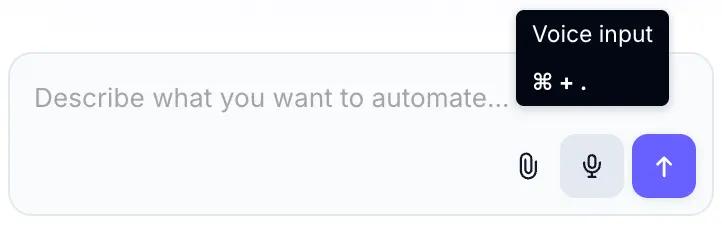
Use it to easily:
Explain your workflow Describe constraints List out tool and out requirements
Agent Builder takes the raw, unstructured input and turns it into actionable plans and prompts.
This is especially useful for complex agents where writing everything out would slow you down. You focus on what you know. Vellum handles the structure.
Learn more about new Voice Input →
A better way to actually use your agents
We redesigned the Workflow Deployment Overview page to make it clearer how to run and share your agents once they’re built.
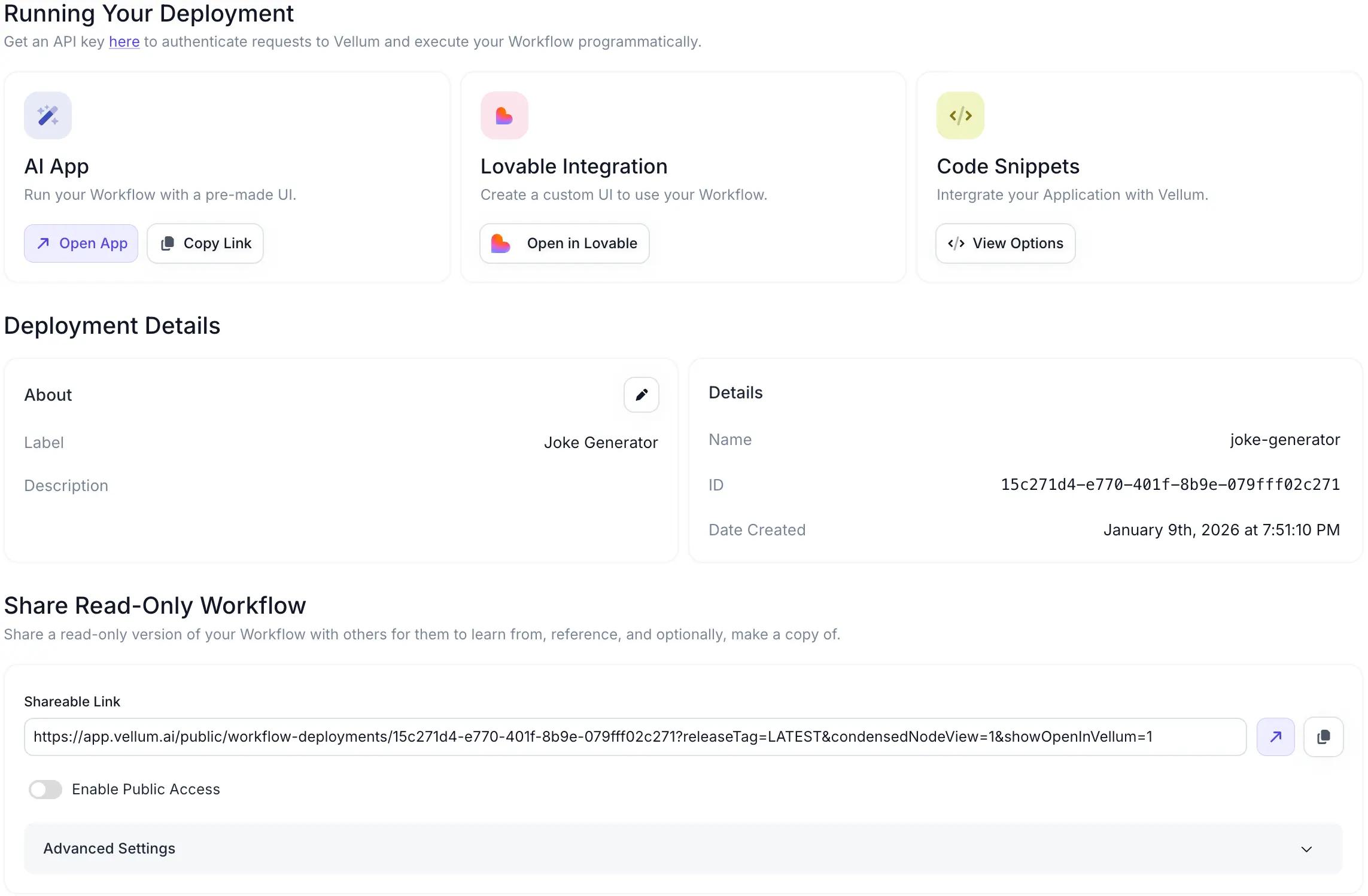
From a single view, you can now:
Run your workflow in an AI App Build a custom UI using the Lovable integration Integrate via APIs with copy-paste code snippets Set up Workflow Triggers for scheduled or automated runs
Instead of hunting for next steps, everything you need to put an agent into real use is now visible and easy to access
Learn more about Workflow Deployment Page →
Compare every agent update
Now whenever Agent Builder edits your workflow, you’ll see a Compare button.
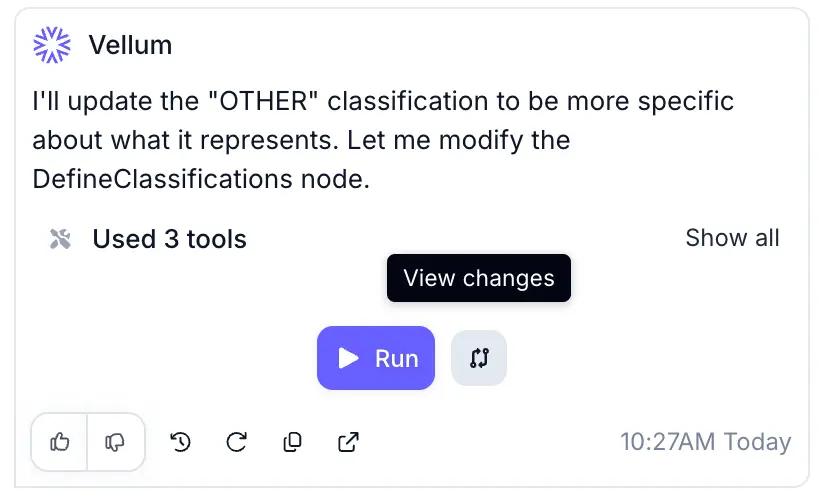
Click it to view a clear code diff showing exactly what was added, removed, or modified.
You can review changes line by line and undo them if something doesn’t look right.
This gives you the same confidence you get from reviewing a pull request. Transparency builds trust, and trust lets you move faster.
Learn more about comparing Agent Builder changes →
New models
OpenAI
GPT 5.2
Gemini 3 Flash Gemini 3 Flash Google Vertex
Mistral
Mistral Large 3 Mistral Medium 3.1
Honorary mentions
CSV Files as Workflow Inputs : You can now pass CSV files directly into workflows as inputs. Vellum automatically creates the right nodes to process rows individually, in batches, or as a full file, and CSVs can also be returned as outputs. Revamped Workspace Invite Flow : Invite teammates directly to a Workspace by email without first adding them to the Organization. On paid tiers you can assign roles during the invite. Full-Screen Code Editor : The Workflow code editor now opens in full screen, giving you more room to inspect and edit generated code without fighting a cramped side panel. Workflow Deployment Release Comparison : Compare two workflow deployment releases side by side to see exactly what changed before promoting a new version to production.
Unified Output definitions
Previously, returning outputs meant wiring your graph to Final Output Nodes and making sure execution paths reached them. This tightly coupled output logic to graph structure and made complex workflows harder to maintain.
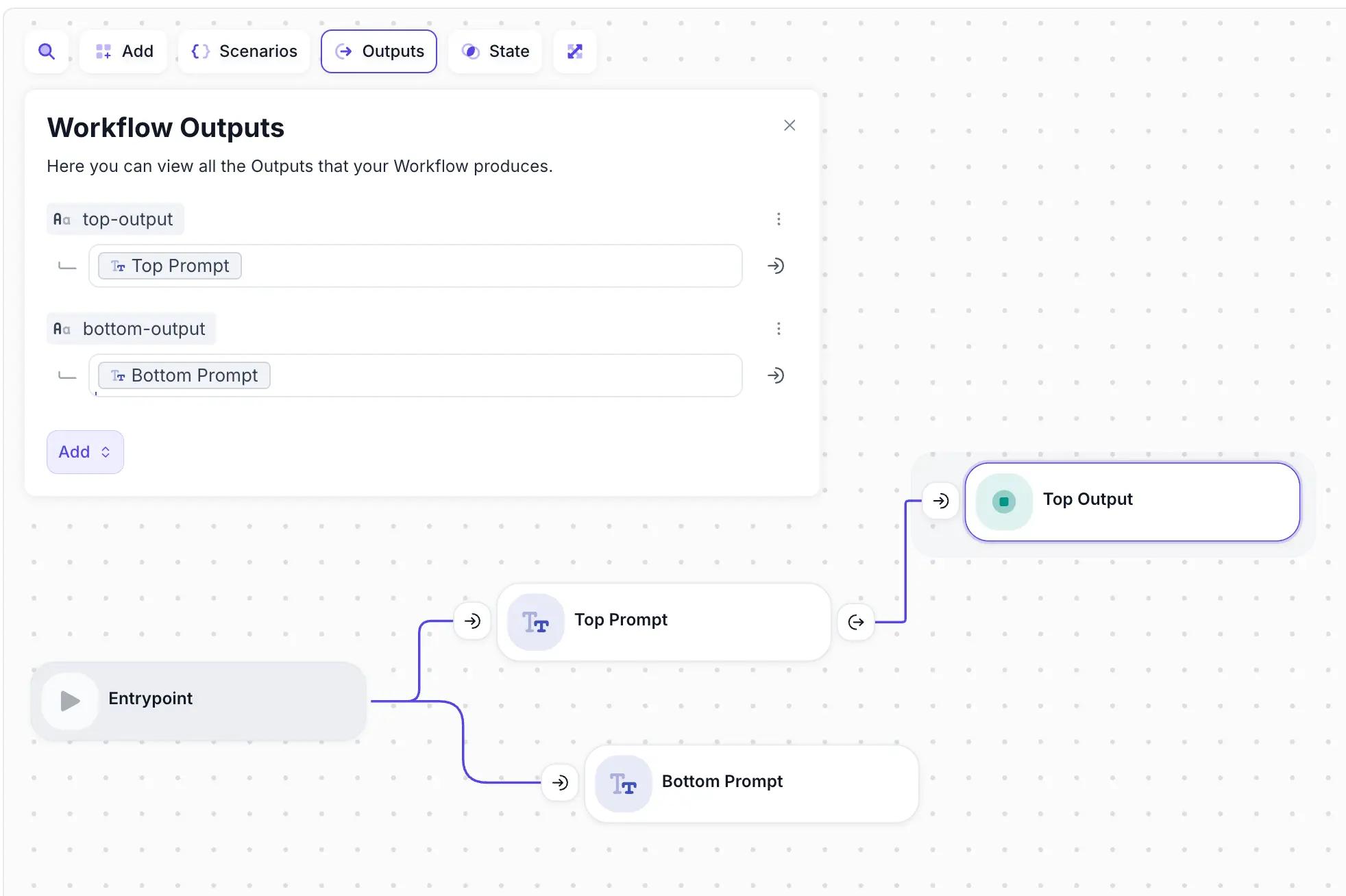
You can now define Workflow Outputs directly in a dedicated panel. Outputs can reference any Node Output or State Value and resolve once at the end of execution, regardless of how the graph is shaped.
This keeps graphs cleaner and makes multi-path workflows much easier to reason about. Existing Final Output Nodes stay in sync automatically to ensure backwards compatibility.
Learn more about global Output Definitions →
Programmatic control over chat history
Managing conversation state used to require manual data handling if you wanted anything beyond simple accumulation.
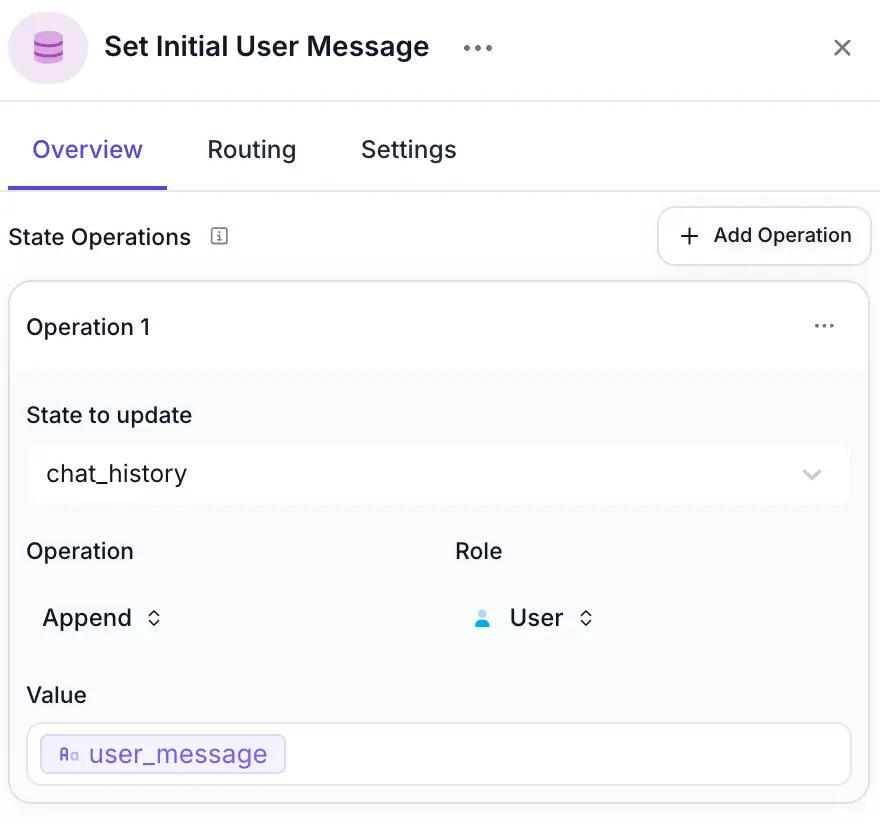
The Set State Node now supports explicit Set and Append operations for chat_history variables, with defined User and Assistant roles. You can initialize conversations, inject messages mid-workflow, or modify history intentionally as part of your logic.
Chat history is no longer something that just grows. It’s something you control.
Learn more about Chat History Operation in Set State Node →
See you in February
That’s the best highlights from December! Be sure to check out the full change log to see all the improvements, fixes, and hidden gems shipped this month.
These updates were about tightening the core experience so your agents are easier to build, easier to trust, and ready to ship as you head into 2026. I’m excited to share the first releases of the new year with you next month!