Most people meet AI as a chatbot in a browser tab. You type, it types back, the conversation ends, and nothing in your actual day changes. A personal AI assistant is a different category entirely.
It has its own memory, its own accounts, and it does things in the world on your behalf. The question worth answering in 2026 is not whether the technology works. It is what one of these assistants can actually do for you once it is set up.
This is the honest version of that answer, organized by what you would actually ask it to do.
The short version
A personal AI assistant is software that works for you continuously, rather than only when you open a window and prompt it. The good ones can:
- Remember your context permanently, across every conversation
- Run your morning briefing and manage your calendar
- Read, triage, and draft replies to your email
- Take action across your tools (Slack, Linear, Notion, and more)
- Do things on the on the internet through a browser
- Answer texts and make phone calls
- Build you apps, websites, and decks on the spot
- Learn new skills over time
The difference between a chatbot and an assistant is the difference between something that answers questions and something that takes work off your plate. Here’s what it looks like in practice.
It remembers everything so you don't have to
A chatbot forgets you the moment you close the tab. A personal AI assistant remembers. You tell it once that you hate cilantro, or that a particular client always wants the short version, or how you like your briefings formatted, and it holds onto that permanently, across every future conversation.
This is the quiet capability that compounds. The longer you use a real assistant, the more it knows about your work, your people, and your patterns, which means the less you have to re-explain. Vellum builds this automatically through persistent memory, with no tagging, uploading, or training required on your part. Context accumulates as a byproduct of use.
It runs your day before you ask
The first thing a capable assistant does is handle the recurring shape of your day. You say "start my day" and it pulls your weather, your calendar, and the news you care about into one personalized briefing instead of three apps. It knows what is on your schedule, what moved, and what needs a decision from you.
This is where proactivity matters more than raw intelligence. An assistant that can run on a schedule and surface the right thing at the right time, without you prompting it, is doing the job a human assistant would. Vellum handles this through scheduling, so briefings and recurring tasks fire on their own rather than waiting for you to remember them.
It handles your inbox
Email is where most people lose the most time, so it is the clearest test of whether an assistant earns its keep. A real assistant connects to your inbox, reads incoming messages, triages them by what actually matters, summarizes the noise, and drafts replies in your voice for you to approve.
The important detail is the human-in-the-loop step. You want the assistant to do the reading and the drafting, which is the slow part, and leave you the sending, which is the part that needs your judgment. Done well, this turns an hour of inbox triage into a few minutes of review. An assistant can also be given its own email address so it can correspond on tasks without living inside your personal account.
It works across all your tools
This is the capability that separates a personal AI assistant from a smarter chatbot. The work most people want automated is not one task in one app. It is the handoffs between apps. Move a ticket, post the update, log the note, update the doc.
A capable assistant plugs into the tools you already use and acts in them directly. In practice that means it can post in Slack and summarize threads, move a ticket in Linear, update a page in Notion, manage your Google Calendar, and post to X. The value is not any single integration. It is that one assistant sees across all of them and can carry a task from start to finish instead of handing you back to yourself halfway through.
It acts on the web and the phone
The frontier capability in 2026 is an assistant that can operate outside its own chat window. That means reading the page you have open, filling out forms, and navigating sites on your behalf through a browser. It also means voice: you can talk to it, and it can talk back, push-to-talk or always-listening.
The version of this that still surprises people is phone calls. A capable assistant can place an actual call, with its own voice, to do the thing you have been putting off, like rescheduling an appointment. These are the tasks that feel least like "using AI" and most like having someone handle it for you.
It builds you things on the spot
Ask a chatbot for a habit tracker and it describes one. Ask a capable assistant and it builds one, a real interactive app, right there in the conversation. The same goes for documents: it can open an editor, research a topic, and draft a full post you can edit and publish.
This matters because it removes the gap between "I need a small tool" and "I have a small tool." You do not file a request or open a separate app. You ask, and the thing exists.
It learns new skills over time
The honest limit of any assistant is the set of things it knows how to do today. The good ones close that gap. When an assistant does not know how to do something, it can install a new skill from a library, have one built, or work out an approach on its own. Because Vellum is open source, its skill set is extensible rather than fixed, which means the capability list above is a floor, not a ceiling.
Best Practices for Working With a Personal AI Assistant
Knowing what an assistant can do is only half the picture. The people who get real value out of one treat the first few weeks as an investment rather than a test drive, and they tend to follow the same handful of habits. These are the practices that turn a capable tool into one that genuinely saves you time:
- Invest in onboarding.
Tell it about your role, your tools, your recurring projects, and the people you work with. The assistant can only act on what it knows about you, and the context you give it early pays off on every task after.
- Show, don't tell.
Give it real examples of a strong result and a weak one instead of describing your taste in the abstract. Demonstrated standards transfer far better than written instructions.
- Start small, then widen trust.
Hand over one repetitive task first, and add more once it proves reliable. Trust is earned per task, and small wins show you where the assistant still needs guidance.
- Give it a workspace.
Keep your campaigns, research, and assets in one place the assistant can read from and add to. Shared context compounds, so recurring work gets faster and more consistent over time.
- Turn repeat work into skills.
Once a multi-step process works, save it so it runs the same way every time. Codified processes remove the need to re-explain and free you for higher-value work.
- Keep a human in the loop.
Have the assistant propose and draft, and approve anything that touches your accounts or money yourself. Review keeps you in control while still capturing most of the time savings.
- Mind your inputs.
Feed it clear context and clean examples, and correct it when it drifts. An assistant mirrors its inputs, so the quality of what you give it sets the ceiling on what you get back.
At a glance, here is how each habit plays out and why it matters:
How to Choose an AI Assistant
Most tools in this space will claim to do everything on the list above. The way to tell them apart is to look past the feature names and ask how each one handles the things that actually determine whether it saves you time.
A few criteria separate an assistant that works for you from a chatbot with a longer memory. Use the questions below as a checklist when you try one out. The right answers tend to be obvious within the first hour of real use.
Where the line is
A capability article that only lists what an assistant can do is selling, not informing. The more useful question is what it should not do, and how you stay in control.
The answer is permissions. Any assistant powerful enough to act on your accounts is powerful enough to do something you did not intend, so the trustworthy ones gate sensitive actions behind your approval. Vellum asks before it touches a file, runs a command, or acts on an account, with an explicit permissions model and a clear allow-or-deny prompt. You can set standing rules for things you trust and require a check for things you do not. Your data stays yours: workspace, memory, and configuration live in your private account or on your own machine, and you can export or delete them at any time.
The principle is simple. The assistant works for you, and it can always be told no.
How to actually start automating your work
The mistake people make is trying to hand over everything at once. The approach that works is to pick the single most repetitive part of your week and give that to the assistant first. For most people that is inbox triage or the morning briefing, because both are daily, both are dull, and both are easy to verify.
Once the assistant has proven it can handle one loop reliably, you widen the circle: add a tool, add a recurring task, add a workflow that spans two apps. The assistant gets more useful as it learns your context, so the early, narrow tasks are also how it earns the judgment to handle bigger ones. Within a week or two, the question shifts from "what can it do" to "what else should I hand off."
If you want the concrete version of this, see how it plays out for a local-first setup, where to run your assistant, and how the leading personal assistants compare.
Best way to start is on Vellum
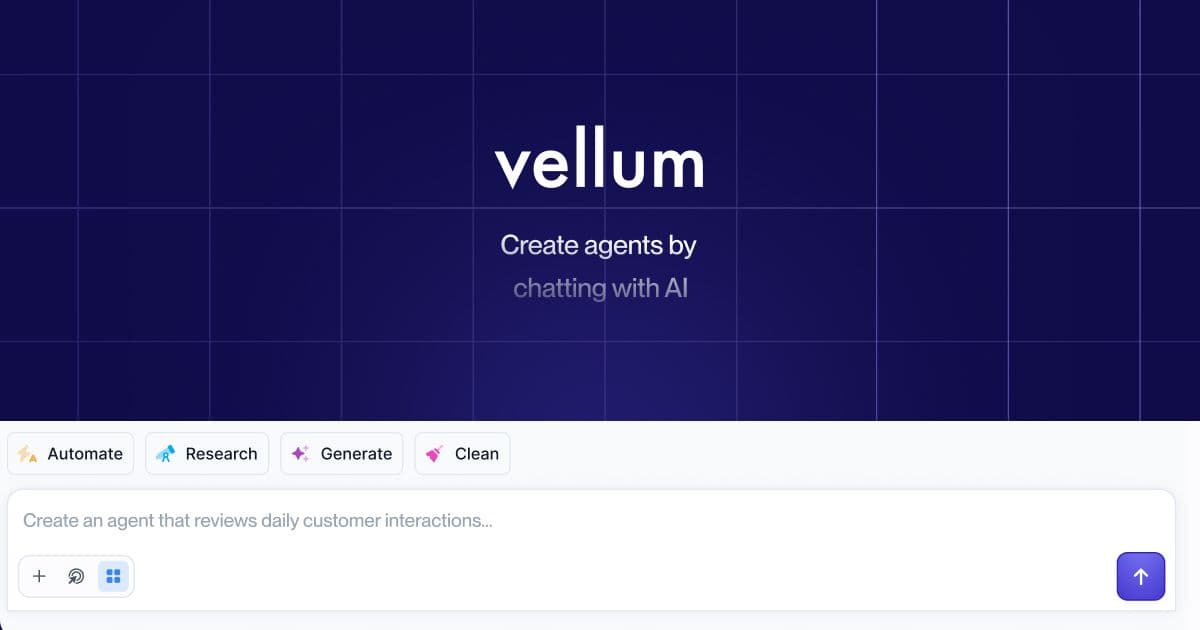
Vellum is a personal AI assistant that does all of the above. It runs as a native Mac app on your own machine or in the secure Vellum Cloud, and stays in sync across iOS, web, Slack, and Telegram.
It reads and drafts your email, manages your calendar, acts across your tools, remembers your context automatically, and builds you apps on the fly, with every sensitive action gated behind your approval.
The free Base plan is enough to start, and Pro from $50/mo adds custom LLM credentials, configurable compute and storage, and your assistant's own email address and subdomain.
Frequently asked questions
What can a personal AI assistant actually do?
It can manage your calendar and morning briefing, read and draft email, act across tools like Slack, Linear, and Notion, browse the web and fill out forms, make phone calls, remember your context permanently, and build small apps and documents on request. The defining trait is that it takes action on your behalf rather than only answering questions.
How is a personal AI assistant different from ChatGPT?
A standard chatbot responds inside a single window and forgets you when the session ends. A personal AI assistant has persistent memory, connects to your real accounts and tools, runs on a schedule, and acts in the world. The chatbot tells you what to do. The assistant does it.
Can an AI assistant automate my daily work?
Yes, for the repetitive, rules-based parts. Inbox triage, calendar management, status updates across tools, recurring briefings, and routine drafting are all well within reach. The reliable pattern is to start with one daily task, confirm it works, then expand. Judgment-heavy decisions stay with you, with the assistant doing the preparation.
Can it manage my email and calendar?
Yes. A capable assistant reads incoming email, triages it by importance, summarizes long threads, and drafts replies for your approval, while managing your calendar and surfacing schedule changes. It can also keep its own email address so it can handle correspondence without sitting inside your personal inbox.
Is it safe to give an AI assistant access to my accounts?
It is safe when the assistant gates sensitive actions behind your permission rather than acting silently. Look for an explicit permissions model with allow-or-deny prompts, the ability to set standing trust rules, and full control over your own data. Vellum asks before touching your files, system, or accounts, and lets you export or delete your data at any time.
Do I need to be technical to use one?
No. The setup is designed to feel like meeting someone new rather than configuring software, and most people are running their first useful task within a few minutes. Capabilities reveal themselves as they become relevant instead of being dumped on you up front.
What can it do that a human assistant can't?
It is available continuously, it never forgets a detail you have told it, and it works across all your software at once without context-switching cost. It will not replace human judgment, but for the recurring, cross-tool, memory-dependent parts of your work, it is faster and more consistent than a person juggling the same tools.
How long does it take to set up?
For a cloud assistant, a few minutes: sign up, meet your assistant, and run your first task. Connecting tools like email or calendar takes a one-time approval each. You do not need to finish any setup marathon before getting value, since you can connect more tools as you go.
Can a personal AI assistant remember things between conversations?
Yes, and this is one of the biggest differences from a chatbot. A real assistant stores what you tell it permanently and recalls it across every future conversation, so the more you use it, the less you have to re-explain. Vellum builds this memory automatically as you work, with no manual tagging required.