OpenClaw is the open-source personal AI assistant that turned "an AI that actually does things" from a demo into a category. It runs on your own hardware, lives inside your messaging apps, and works while you sleep. It also asks more of you than any mainstream alternative, and that tradeoff is the whole story.
This breakdown covers what OpenClaw actually is, how it works, what it costs, where it's strong, where it falls short, and which alternatives are worth considering. It draws on OpenClaw's official site and pricing page, plus third-party coverage of the hosting ecosystem that grew up around it.
What Is OpenClaw?
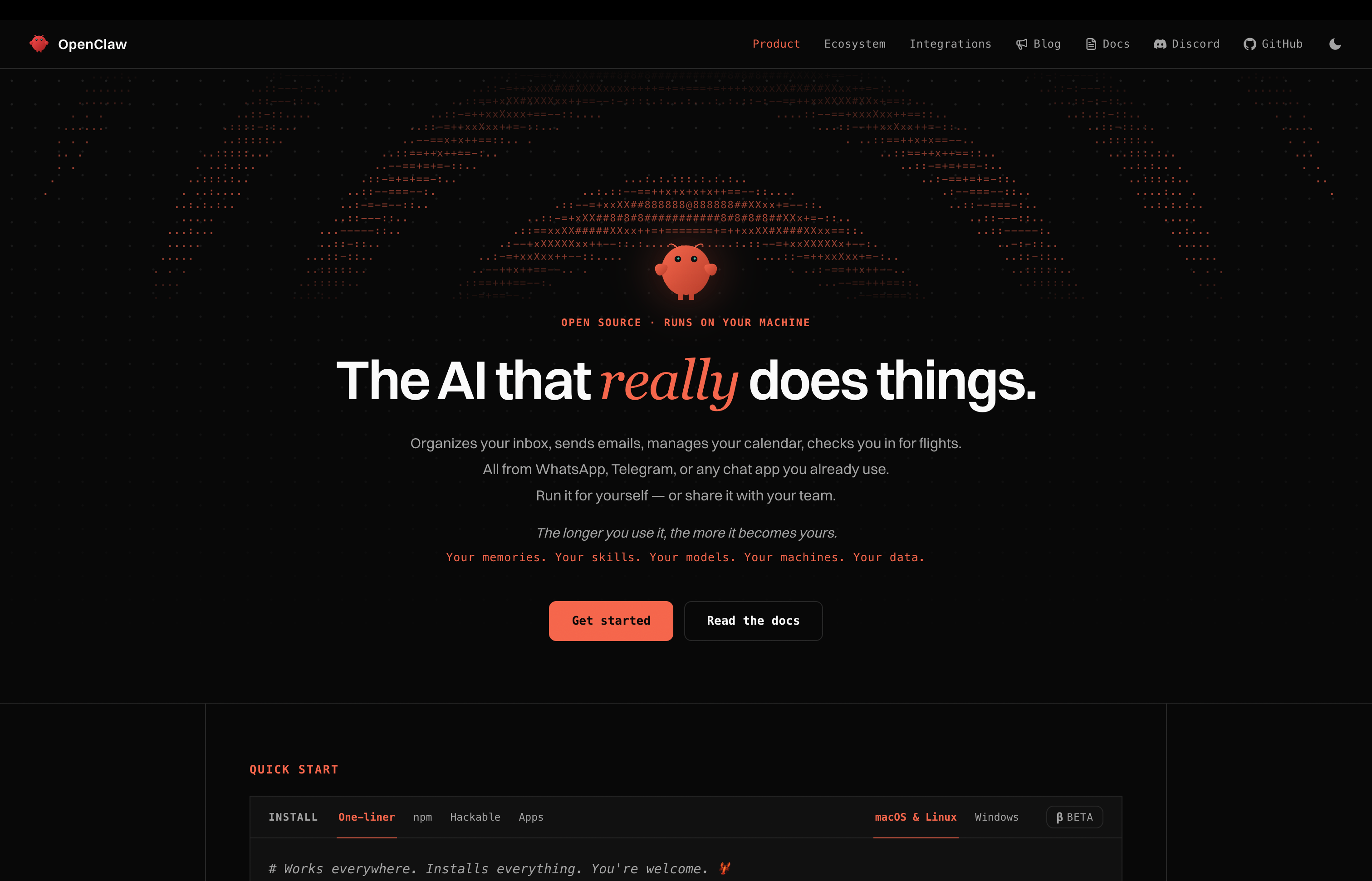
OpenClaw is an open-source personal AI assistant released under the MIT license. The pitch is simple: ChatGPT is a chatbot, OpenClaw is an agent. It sends your emails, manages your calendar, monitors websites for changes, runs tasks overnight, and remembers your context between sessions.
The design decision that defines it is where it lives. Instead of a web app or a desktop client, OpenClaw lives in the messaging apps you already use: Telegram, Discord, WhatsApp, and Slack. You talk to it like a contact, and it talks back like one.
OpenClaw also carries the category's origin story. It became popular enough for its capabilities that its founder joined OpenAI to work on the next generation of personal agents, and this summer's wave of consumer agents, including Instinct, was widely described as trying to be "OpenClaw for normal people." When a product becomes the reference point, a breakdown has to explain both the product and the gap it leaves.
How OpenClaw Works
You install OpenClaw on hardware you control: a home machine, a Mac Mini, or a VPS. It connects to your messaging accounts and to whatever AI models you give it keys for, and then it runs continuously.
A few things about this architecture matter:
- It's yours, literally. The software is MIT-licensed. Your conversations, credentials, and context stay on infrastructure you own. There is no OpenClaw server holding your life unless you pay for their cloud tier.
- Messaging is the interface. There's no dashboard to learn. The assistant lives in Telegram, Discord, WhatsApp, or Slack, which makes it feel like a contact instead of a tool.
- Bring your own models. OpenClaw works with Claude, GPT, Gemini, DeepSeek, and others through your own API keys, with smart model routing to control costs. You can also point it at local models.
- It never sleeps. Cron jobs, website monitoring, overnight tasks. Because it runs on a server instead of your laptop, "works while you sleep" is literal.
- You are the ops team. Docker, SSL, API keys, updates, security configuration. OpenClaw's power comes with a sysadmin role attached, and the ecosystem of third-party managed hosts exists precisely because that role is real work.
OpenClaw Pricing and Access
How much does OpenClaw cost per month?
OpenClaw is free software. Self-hosting costs you nothing in license fees, ever. What you actually pay is the infrastructure around it:
- Self-hosted: the server (a home machine or a VPS), plus model API costs. Third-party estimates put typical personal-use API spend at $5 to $15 per month with smart routing, and a capable always-on machine like a Mac Mini M4 runs about $900 up front.
- OpenClaw Cloud: the official managed tier starts at $49 per month, or $39 per month billed yearly.
- Third-party managed hosts: an ecosystem of unofficial hosting providers ranges from about $3 to $109 per month, most of them BYOK, so model costs come on top.
The honest math: self-hosted OpenClaw is the cheapest serious assistant setup you can run, if your time is free. If it isn't, the Cloud tier or a managed alternative starts to make sense.
OpenClaw Security and Privacy Controls
Is OpenClaw safe to use?
OpenClaw's security story is a mirror of its philosophy: you get full control, and full responsibility.
On the control side, the architecture is genuinely private. Your data stays on your machine or your VPS. There's no vendor holding your inbox history, no training license buried in a terms-of-service page, and the MIT license means the code handling your credentials is inspectable by anyone. In a year when consumer agents made headlines for retaining emails after users disconnected them, that posture matters.
On the responsibility side, everything is yours to get wrong. Credential isolation, sandboxing, permission rules, update hygiene, exposure to the public internet: OpenClaw gives you the primitives and leaves the policy to you. A misconfigured instance with your email credentials on an open port is not a theoretical scenario; it's the kind of thing that happens when security is homework. OpenClaw is as safe as the person running it.
What OpenClaw Does Well
- True ownership. MIT license, your hardware, your data. No other assistant in this breakdown gives you that combination.
- Messaging-native design. Living in Telegram, Discord, WhatsApp, and Slack turned out to be the right call. The assistant is where you already are.
- Always-on execution. Scheduled jobs, monitoring, overnight tasks. The server model makes background work the default instead of a feature.
- Model freedom. Any major provider through your own keys, smart routing to manage cost, and local models for sensitive work.
- The ecosystem. A large community, third-party hosts, shared configurations, and a playbook for nearly every setup. When you hit a wall, someone has hit it first.
Where OpenClaw Falls Short
- Setup and maintenance are on you. Docker, keys, cron, updates. The "normal people" gap is real, and an entire cottage industry exists to fill it.
- No native apps. There's no official desktop app, no iOS app, no web app. Messaging is the whole interface, which means no rich surfaces for documents, approvals, or review.
- Security is self-managed. Control without guardrails is a liability for anyone who isn't going to harden a server.
- No voice or phone channel. If you want to talk to your assistant or have it call you, OpenClaw doesn't go there.
- Memory is basic. Context persists, but there's no structured memory system distinguishing your preferences, projects, and history. The assistant remembers; it doesn't organize what it knows.
- Costs are unbounded if you're careless. BYOK means a runaway loop is your bill. Smart routing helps, but the meter is yours to watch.
Key 2026 Trends in Personal AI Assistants
- Consumer agents hit the mainstream. An IEEE global study found 52% of technology leaders expect agentic AI to reach mass or near-mass consumer adoption as a personal assistant, scheduler, or family calendar manager in 2026 [1]. OpenClaw is the proof of concept the wave was built on.
- The category split into two philosophies. Self-hosted control versus managed convenience. This summer's launches, from Instinct's managed agent to Perplexity's hardware-gated local play, are all answers to the question OpenClaw raised [2].
- Local models got good enough to matter. Agent success rates on real-world terminal tasks jumped from 20% in 2025 to 77.3% in the Stanford AI Index 2026 [3], which is why running an assistant on your own hardware stopped being a hobbyist compromise.
- Agent failure is still material. The same Stanford data means agents fail roughly one in five times on structured tasks. What your assistant is allowed to do unsupervised is a design decision, not a default.
Who Should Consider OpenClaw?
- The self-hoster: You already run a home server or a VPS, and "your data on your hardware" is a requirement, not a preference.
- The messaging-native user: Telegram, Discord, or WhatsApp is where you live, and you want an assistant that's a contact, not an app.
- The tinkerer: You want to configure, extend, and break things. OpenClaw rewards the curious.
- The privacy absolutist on a budget: Free software plus $5 to $15 a month in model costs is the cheapest serious privacy posture available.
Who Should Look at Alternatives?
- If you want it working tonight: Setup is measured in hours and config files, not minutes.
- If you want native apps: No desktop, no iOS, no web. Messaging only.
- If you want managed security: You are the security team.
- If you want voice or phone: Not part of the product.
- If you want an official managed cloud that feels finished: OpenClaw Cloud exists at $49 per month, but the managed experience isn't the project's center of gravity.
Best OpenClaw Alternatives (2026)
1. Vellum
Vellum is an open-source personal AI assistant that runs as a native desktop app on your own device or in Vellum Cloud, with iOS, web, voice, email, Telegram, Slack, and phone surfaces all sharing one persistent memory.
Score: 100
Standout strengths:
- Open source under MIT with self-hosting as a first-class path, same codebase and data model as the managed cloud. OpenClaw's ownership story, without the server weekend.
- Setup measured in minutes. Sign up, name your assistant, start talking.
- Eight types of structured memory that learn your patterns and carry context across every conversation and surface.
- Every sensitive action asks permission, with risk badges and standing trust rules. The default is to deny.
- One assistant across desktop, iOS, web, voice, email, Telegram, Slack, and phone. Messaging plus real native apps.
- Use Anthropic, OpenAI, Google, Fireworks, OpenRouter, or local models through Ollama. You pick the model for the task.
- Free cloud hosting when you create an assistant. Paid plans upgrade the machine, compute, and storage.
Trade-offs:
- The assistant becomes more useful as it learns your context, so the first few conversations require some teaching before it starts anticipating.
- Usage-based credits apply to many actions beyond the included plan credits, so heavy users need to watch the meter.
Pricing: Free, Mighty $30/month, Super $100/month, and Ultra $200/month. Paid plans include credits, with additional usage charged separately. Self-hosting has no platform fee. Anyone who signs up and creates an assistant gets free cloud hosting, and subscriptions upgrade the hosted machine, compute, and storage.
Compared to OpenClaw: This is the closest philosophical match in the list, and the differences are about finish.
- Setup: Vellum takes minutes and offers free managed cloud hosting. OpenClaw takes a server and an evening.
- Surfaces: Vellum adds native desktop, iOS, web, and voice to the messaging channels. OpenClaw is messaging-only.
- Memory: Vellum runs eight structured memory types with per-channel isolation. OpenClaw persists context but doesn't organize it.
- Guardrails: Vellum's permission system asks before sensitive actions with risk badges and trust rules. OpenClaw's security posture is whatever you configure.
If you love what OpenClaw stands for and want it without the ops work, Vellum is the same bet, productized.
2. Hermes Agent as an OpenClaw Alternative
Hermes Agent is Nous Research's open-source agent with persistent memory, self-created skills, and a messaging gateway for Telegram, Discord, Slack, and more.
Score: 86
Pros:
- Open source under MIT, runs on your server
- Builds its own skills from experience
- Model freedom, including local runtimes
- Real-time voice in current releases
Cons:
- Terminal-first DNA, you own the server
- Memory is markdown files you manage
- Steeper learning curve than OpenClaw
Compared to OpenClaw: Hermes is the pick for technical users who found OpenClaw too static. Its self-improving skill system and persistent memory go further than OpenClaw's, at the cost of even more setup surface. Vellum ranks higher when you want the self-improving idea without the terminal.
3. Claude Cowork as an OpenClaw Alternative
Claude Cowork is Anthropic's desktop AI coworker for files, folders, applications, and repeatable knowledge work, included with paid Claude plans.
Score: 81
Pros:
- Anthropic model quality
- Desktop-native work on your local files
- Managed, polished, zero infrastructure
Cons:
- No free tier, from $20/month
- Single provider, no self-hosting
- Desktop-centric, no messaging presence
Compared to OpenClaw: Cowork is the managed opposite: no server, no keys, no control. It's the right answer for document-heavy work if you're comfortable in Anthropic's ecosystem. Vellum ranks higher when you want OpenClaw's ownership with Cowork's polish.
4. Instinct as an OpenClaw Alternative
Instinct is an invite-only personal AI assistant you text or call, which handles life admin through connected accounts and a persistent cloud computer.
Score: 78
Pros:
- Zero setup, text or call interface
- Aggressively finishes multi-step tasks
- Proactive follow-ups
Cons:
- Invite-only, no published pricing
- Broad data license including model training
- No self-hosting or model choice
Compared to OpenClaw: Instinct is explicitly "OpenClaw for normal people," and it delivers the no-setup version. What it drops is everything OpenClaw stands for: ownership, self-hosting, and data control. Its terms grant a perpetual license to your materials. Vellum ranks higher when you want the normal-people experience without signing away your data.
5. ChatGPT Work as an OpenClaw Alternative
ChatGPT Work is OpenAI's agent surface for longer tasks, connected apps, browser work, and scheduled jobs inside the ChatGPT ecosystem.
Score: 75
Pros:
- Familiar interface, massive ecosystem
- Research, files, and deliverables in one place
- Scheduled tasks
Cons:
- Cloud-only, single provider
- No self-hosting
- No structured personal memory
Compared to OpenClaw: ChatGPT Work is the mainstream pick with the lowest possible friction and the least ownership. If OpenClaw's server work is why you're leaving, this is the easiest landing. Vellum ranks higher when you want easy and owned at the same time.
OpenClaw Alternatives Comparison Table
| Tool | Best For | Architecture | Pricing | Open Source | Key Differentiator |
|---|---|---|---|---|---|
| Vellum | Open-source ownership without the server work | Desktop, cloud, or self-hosted | Free to $200/mo | Yes (MIT) | ⭐ Structured memory, permission controls, native apps plus messaging, free cloud hosting |
| Hermes Agent | Technical users who want a self-improving agent | Self-hosted | Free software, model costs vary | Yes (MIT) | Builds its own skills |
| Claude Cowork | Desktop knowledge work | Desktop + cloud | From $20/mo, no free tier | No | Anthropic model quality |
| Instinct | Zero-setup life admin | Cloud | Free in beta, pricing unannounced | No | Text-it-anything aggression |
| ChatGPT Work | Mainstream users in the ChatGPT ecosystem | Cloud | Varies by plan | No | Ecosystem reach |
Why Vellum Stands Out
OpenClaw earned its place. It proved a personal AI assistant could act in the world, live where people already talk, and belong to the user instead of a platform. Every serious product in this breakdown is downstream of that proof, and the MIT license means its DNA is everywhere, including in products that would never admit it.
What OpenClaw can't give you is the finished product. Setup is yours. Security is yours. There are no native apps, no voice, no structured memory, and no managed experience that feels like the center of the project's gravity. For the people OpenClaw is built for, that's the deal they wanted. For everyone else, it's the reason "OpenClaw for normal people" became a pitch other companies raised billions on.
The architecture difference that matters is that Vellum makes the same ownership bet and then does the work. Open source under MIT. Self-hosted if you want it, free managed cloud if you don't. Native desktop and iOS apps alongside Telegram and Slack. Eight types of structured memory instead of a context file. A permission system that asks before sensitive actions and defaults to deny, instead of a security posture you assemble yourself. Model choice across every major provider plus local models. You keep what OpenClaw stands for and skip the weekend with Docker.
Vellum vs OpenClaw
Same philosophy, different finish. Vellum gives you open-source ownership, self-hosting, and messaging channels, then adds native apps, structured memory, permission controls, and a managed cloud tier that's free to start. OpenClaw gives you raw control and asks for your evenings.
Vellum vs Hermes Agent
Both are open source and model-agnostic. Hermes goes deepest on self-improvement, building its own skills on your server. Vellum matches the ownership story and adds native surfaces, structured memory, and a setup process measured in minutes.
Vellum vs Claude Cowork
Cowork is polished, managed, and locked to Anthropic's models and cloud. Vellum is open source, self-hostable, model-agnostic, and free to start. If ownership and deployment choice matter, Vellum wins. If you live in Claude Desktop, Cowork is comfortable.
Vellum vs Instinct
Instinct delivers zero-setup aggression with a perpetual license to your data attached. Vellum delivers a fast setup with permission controls, exportable data, and code you can audit. The convenience is comparable. The trust model isn't.
Get started with Vellum free →
FAQs
What is the best OpenClaw alternative in 2026?
Vellum is the best OpenClaw alternative in 2026 because it keeps what makes OpenClaw matter, open-source code under MIT, self-hosting, model choice, and data ownership, while adding native desktop and iOS apps, structured memory, permission controls, voice, and free managed cloud hosting. Setup takes minutes instead of an evening.
What is OpenClaw?
OpenClaw is an open-source personal AI assistant released under the MIT license. It runs on your own hardware, lives in messaging apps like Telegram, Discord, WhatsApp, and Slack, and takes actions on your behalf: sending emails, managing your calendar, monitoring websites, and running scheduled tasks while you sleep.
Vellum is a personal AI assistant built on the same ownership philosophy, with native apps and managed hosting layered on top.
How much does OpenClaw cost?
The software is free under MIT. Self-hosting means paying for the machine and model API keys, typically $5 to $15 per month for personal use. The official OpenClaw Cloud tier starts at $49 per month, or $39 per month billed yearly. Vellum offers a free tier with free cloud hosting, and paid plans from $30 per month.
Is OpenClaw free?
Yes, the software itself is free and open source. Your real costs are infrastructure and model usage. If you want free that includes hosting, Vellum gives every signup free cloud hosting, so "free" covers the whole stack.
Is OpenClaw safe to use?
OpenClaw is as safe as its operator. Your data stays on your hardware and the code is auditable, which is a strong foundation. But credential isolation, network exposure, and update hygiene are your responsibility. Vellum ships a permission system with risk badges, trust rules, and a default-deny posture, so the guardrails arrive with the product.
Can OpenClaw work while my computer is off?
Yes, if it's installed on a server or an always-on machine like a Mac Mini or VPS. That's one of its real strengths. Vellum's cloud hosting delivers the same always-on behavior without you maintaining the machine.
Does OpenClaw have a mobile app?
No. OpenClaw is messaging-native, so you reach it through Telegram, Discord, WhatsApp, or Slack on your phone. There's no official iOS or desktop app. Vellum has a native desktop app and iOS app alongside its messaging channels, plus web and voice.
What models does OpenClaw support?
OpenClaw works with Claude, GPT, Gemini, DeepSeek, and other providers through your own API keys, with smart routing to control costs, and it can point at local models. Vellum supports the same model freedom, Anthropic, OpenAI, Google, Fireworks, OpenRouter, and local models through Ollama, with the setup handled for you.
Is OpenClaw or Vellum better for privacy?
Both are strong, for different reasons. OpenClaw keeps everything on your hardware with auditable code. Vellum matches that with self-hosting and MIT licensing, then adds a permission system that gates sensitive actions by default and managed infrastructure if you'd rather not run your own. The difference is that Vellum's privacy posture doesn't depend on your sysadmin skills.
Is OpenClaw or Vellum better for non-technical users?
Vellum, clearly. It takes minutes to set up, hosts your assistant for free, and reaches you across desktop, iOS, web, voice, email, Telegram, Slack, and phone. OpenClaw asks you to manage Docker, API keys, and a server. If you're not going to do that, Vellum is the OpenClaw bet without the homework.
What happened to OpenClaw's founder?
OpenClaw's founder joined OpenAI to work on the next generation of personal agents, per TechCrunch's reporting. The project continues as open source with its community, but the transition is worth knowing when you're betting your daily workflow on a tool.
Extra Resources
- 10 Best OpenClaw Alternatives in 2026 →
- What Can a Personal AI Assistant Actually Do? (2026) →
- How Vellum Remembers →
- Official Grok Bot Breakdown (2026) →
Citations
[1] IEEE. (2025). The Impact of Technology in 2026 and Beyond: an IEEE Global Study.
[2] Perez, S. (2026). Instinct's powerful AI assistant is raising privacy and security concerns. TechCrunch.
[3] Stanford HAI. (2026). 2026 AI Index Report.
[4] OpenClaw. (2026). OpenClaw Pricing: Cloud vs Self-Hosted Cost.
[5] Dellinger, A. (2026). Perplexity Launches Local AI Model That Will Run on Your GPU Instead of the Cloud. Gizmodo.